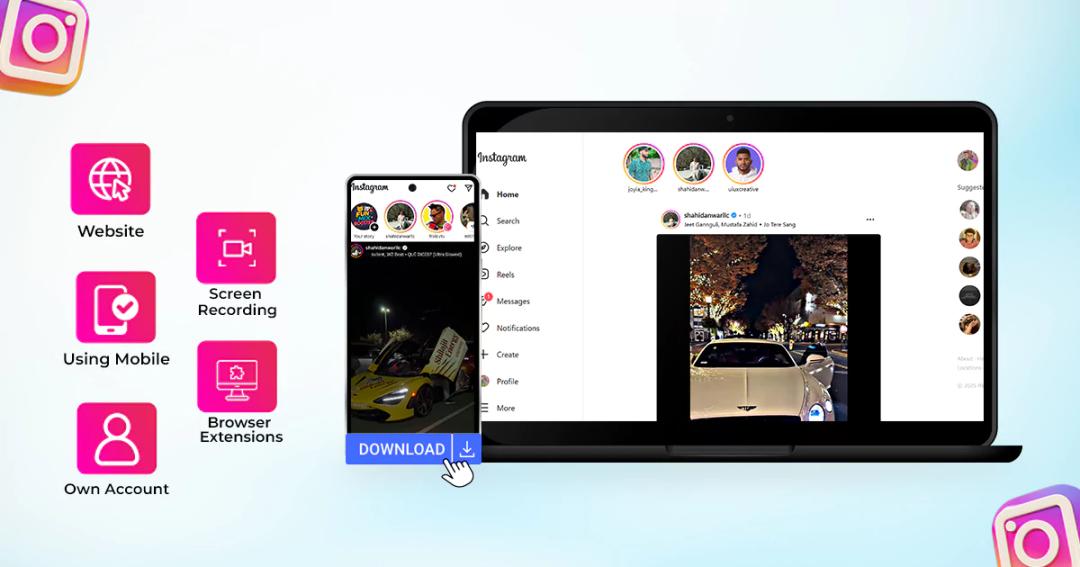
Instagram Reels have become the core of short-form video sharing, showcasing everything from viral tutorials to travel vlogs. Yet, Instagram doesn’t provide a direct way to download Reels in HD for offline use. Whether you’re a content creator saving inspiration or a viewer archiving favorites, using a trusted tool like Free-Save’s Instagram Reel Downloader is the most efficient, watermark-free solution.
As the world’s 3rd most-used app, Instagram hosts a massive and active audience. Hundreds of Reels are uploaded every minute, but Instagram’s built-in download option is often restricted by creator settings. If you can’t find a “Download” button, don’t worry. This guide covers tested and safe methods to download Instagram Reels without app limitations or login requirements.
Does Instagram Allow You To Download Reels?
Yes, Instagram allows you to download reels. If the option isn’t available, it means the creator has restricted downloads. However, you can still save Reels for personal, offline viewing using secure online tools such as Free-Save, which operate within safe and privacy-friendly limits.
How to Download Instagram Reels on iPhone?
Save Instagram reels on your iPhone to watch later and enjoy them offline. Here are different ways to download Instagram reels on iPhone.
Instagram Built-in Feature
It is quick and easy to save Instagram reels on your iPhone. Follow the simple steps and download the Instagram videos, reels you like.
1. Go to the reel you want to download.
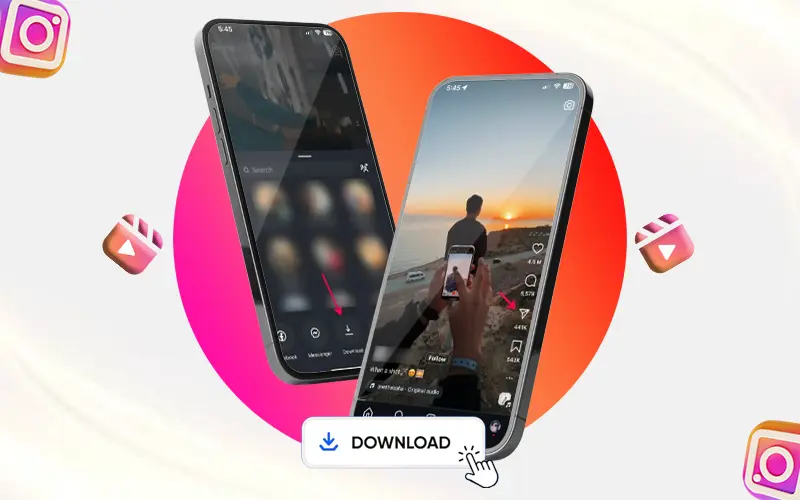
2. Check for the download access from the creator.
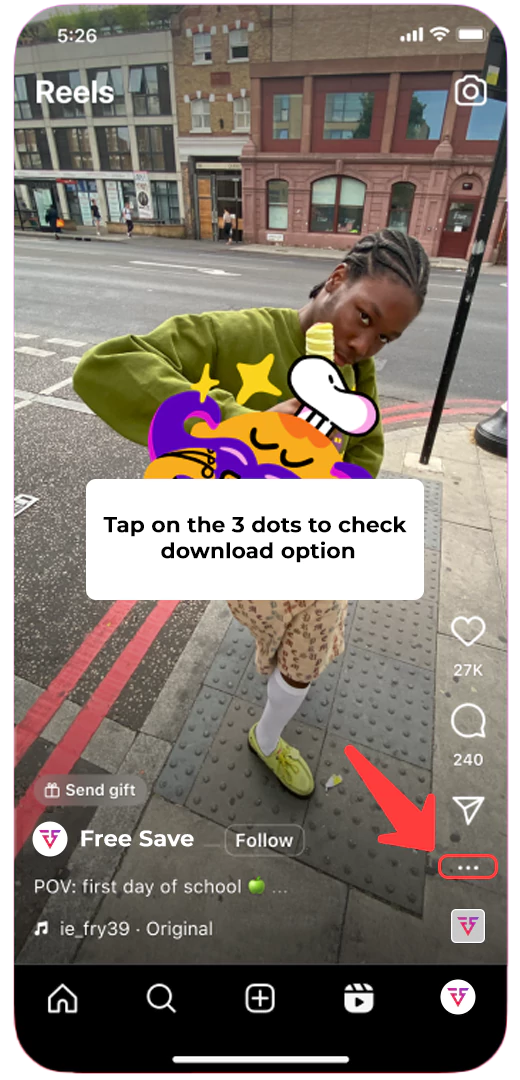
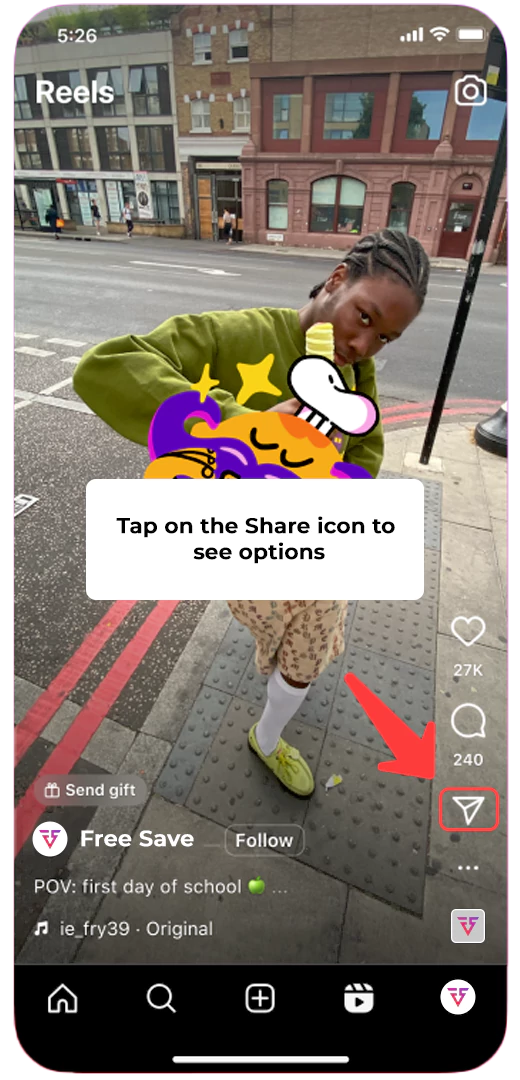
3. Tap on the share icon on the reel to see the download option.
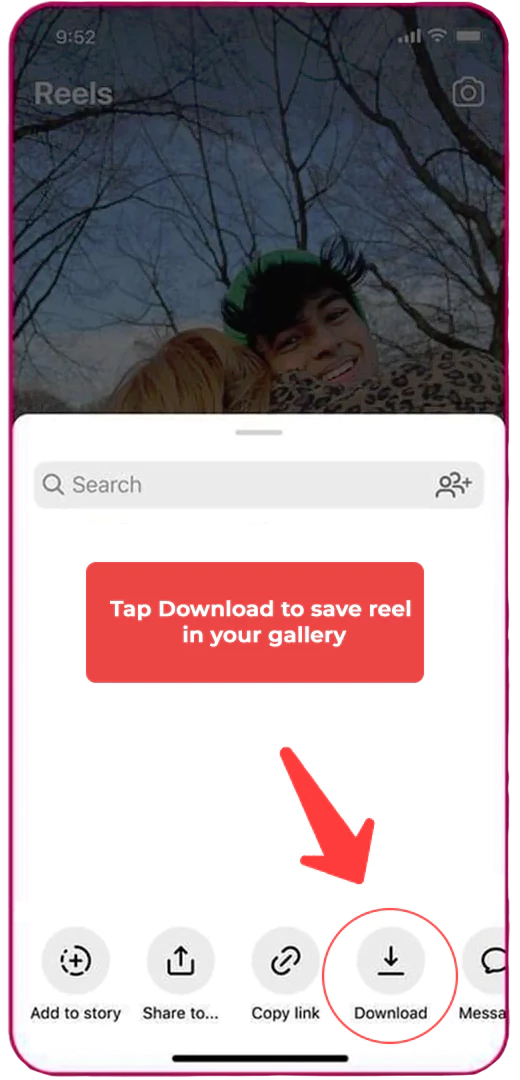
4. Tap on the download icon to save the reel in your gallery to watch offline.
Screen Recording
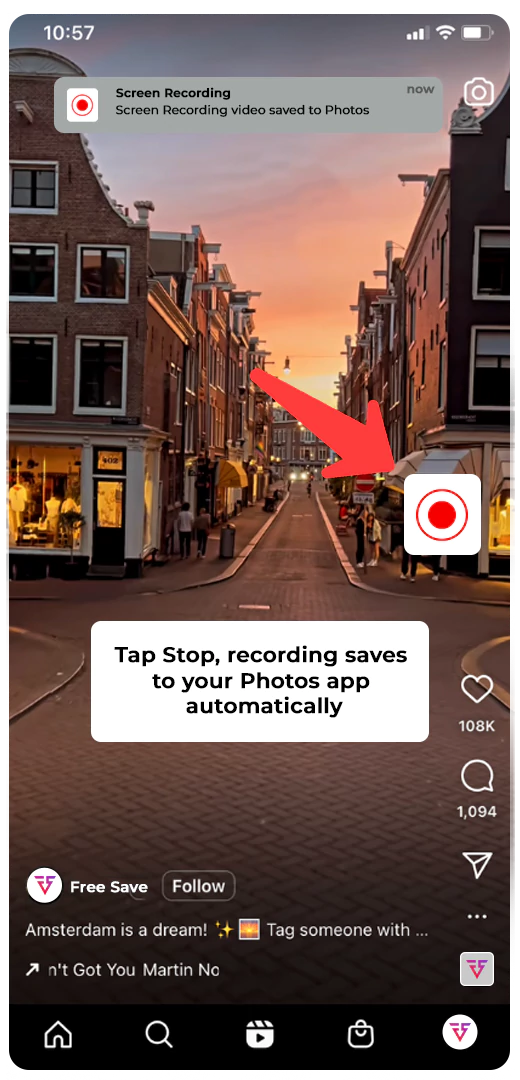
Another way to download Instagram reels on your iPhone is through screen recording. It might affect the quality, but you can still watch it.
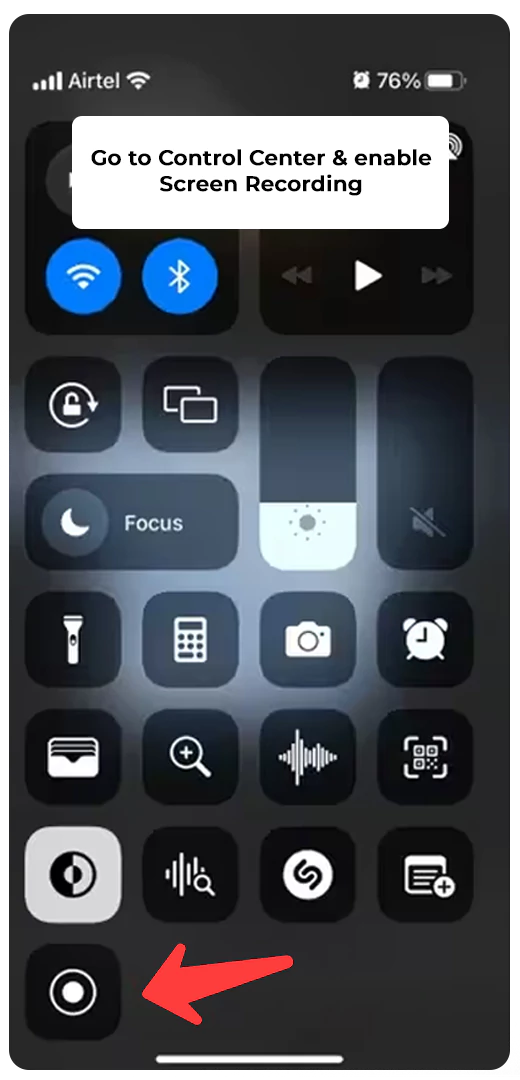
1. Go to the control center of your iPhone and enable screen recording.
2. Open the reel or video you want to download and start recording before playing the reel/video.
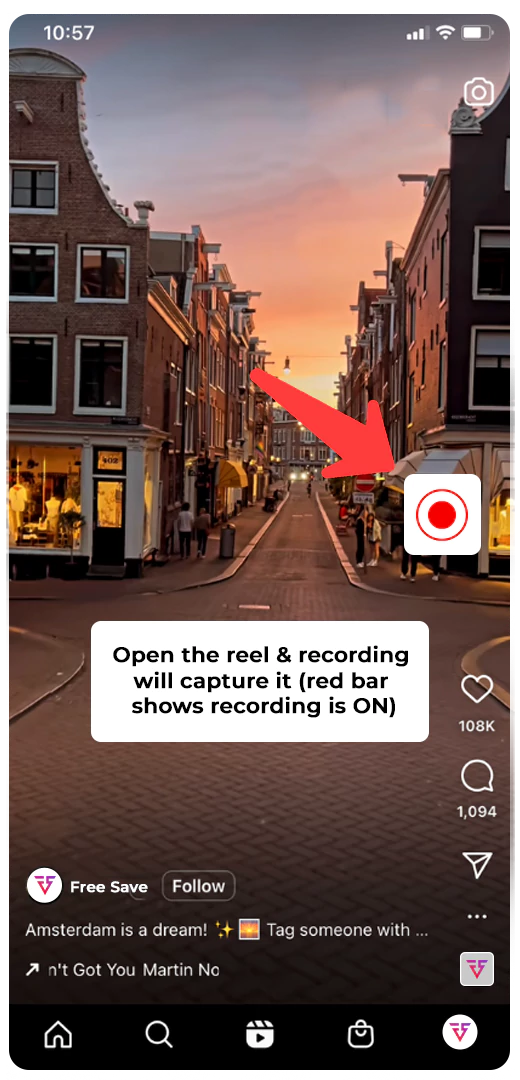
3. Once you have completed the recording, stop the recorder and save the reel to your gallery.
How To Download Instagram Reels on Android?
38.5% of Instagram feed posts are reels that are highly addictive and keep you coming back to watch them. But rather than opening Instagram again and again, you can download reels on your Android by following the methods given below.
Instagram Built-in Feature
Downloading Instagram reels and videos of your choice is very easy on an Android. You have to follow the given steps, and you can download reels in HD quality.
1. Open the reel/video you want to download.
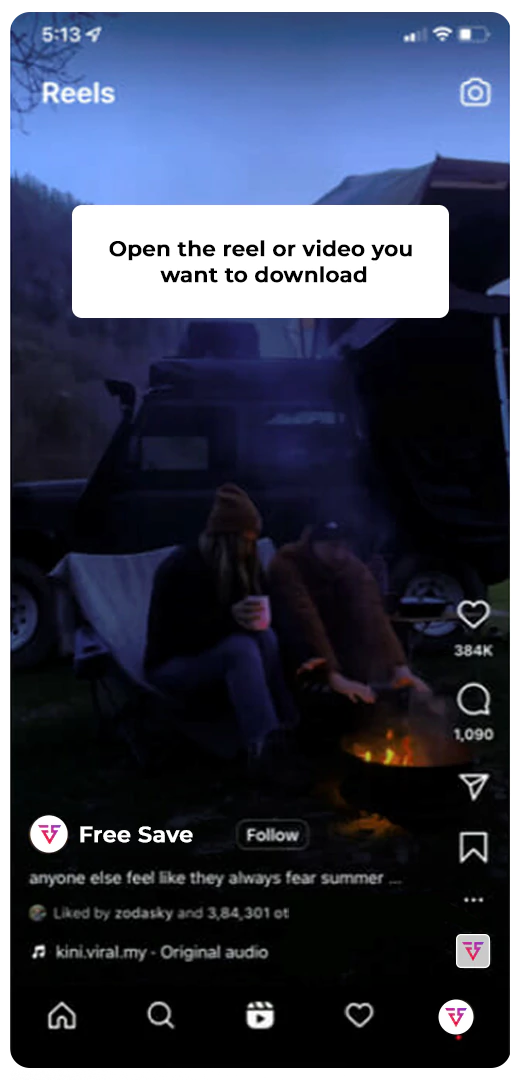
2. Tap on the share icon to see whether the creator allows downloads.
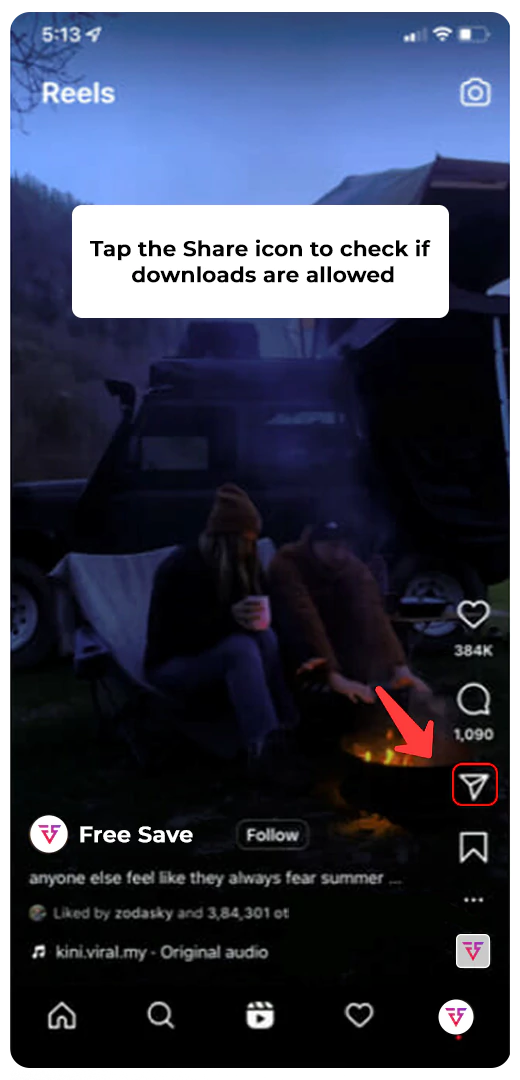
3. Once you see the download option, tap on it to save the reel in HD quality.
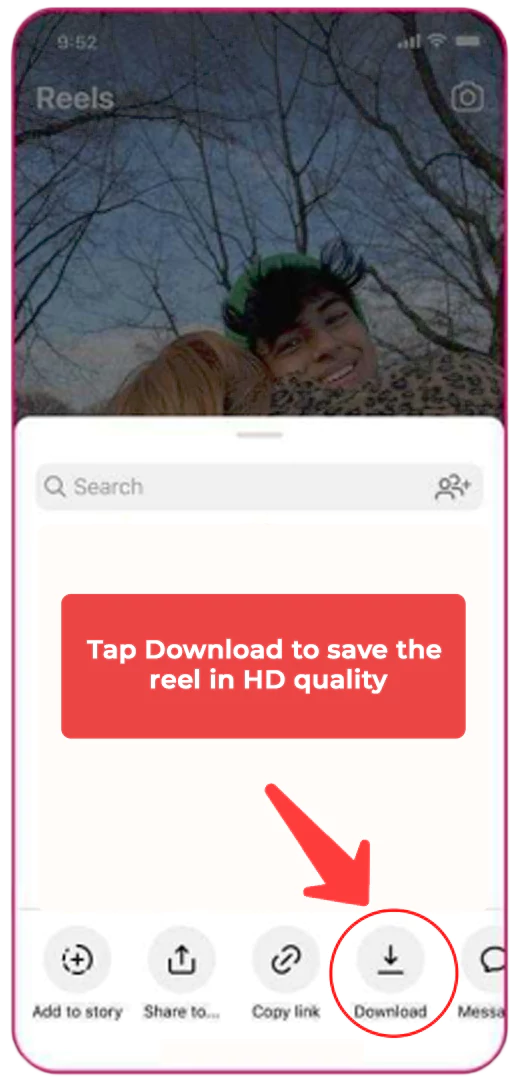
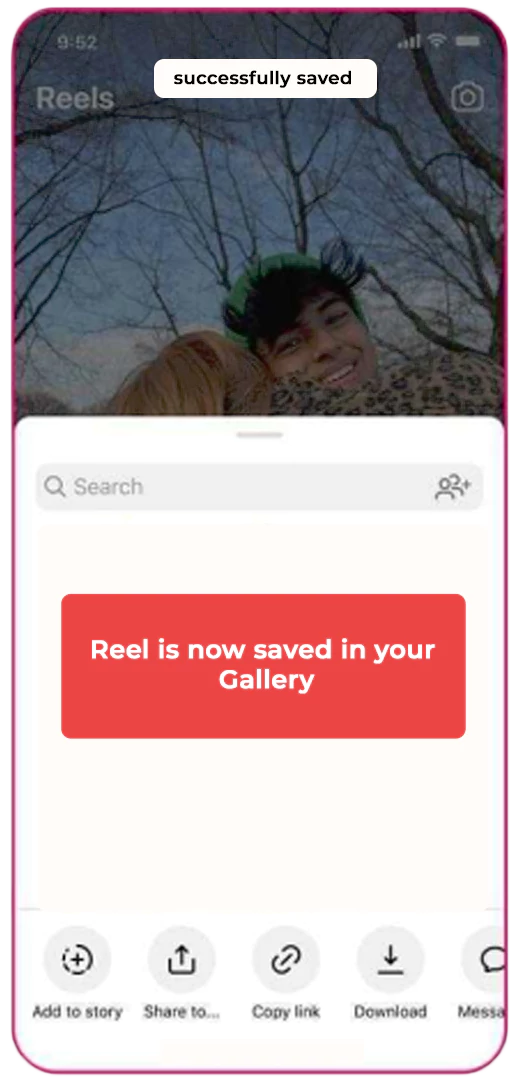
4. Now, your reel is available in your gallery, saving you from the hassle of visiting Instagram.
Screen Recording
Here is how you can download an Instagram reel on Android via screen recording. Follow the steps given below:
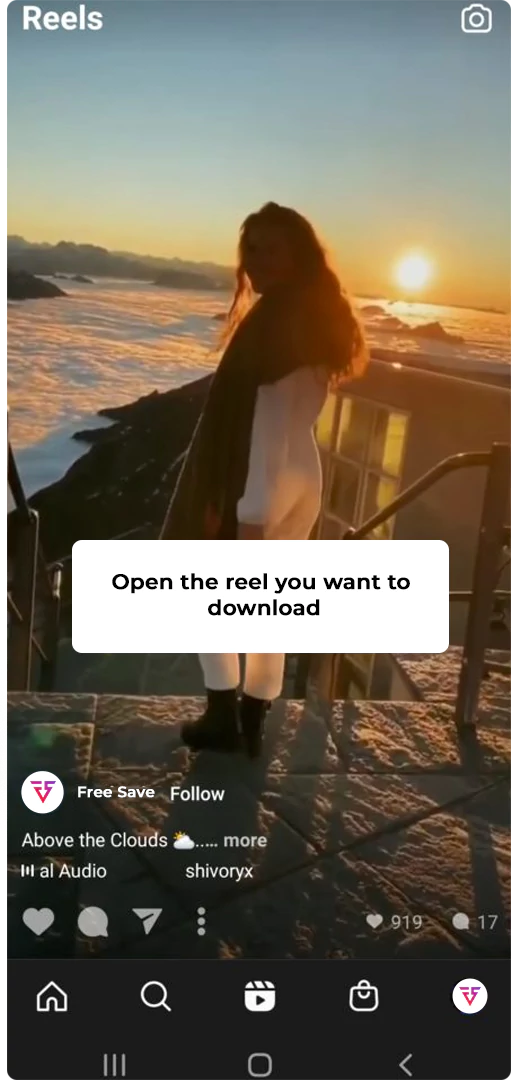
1. Open the reel you want to download.
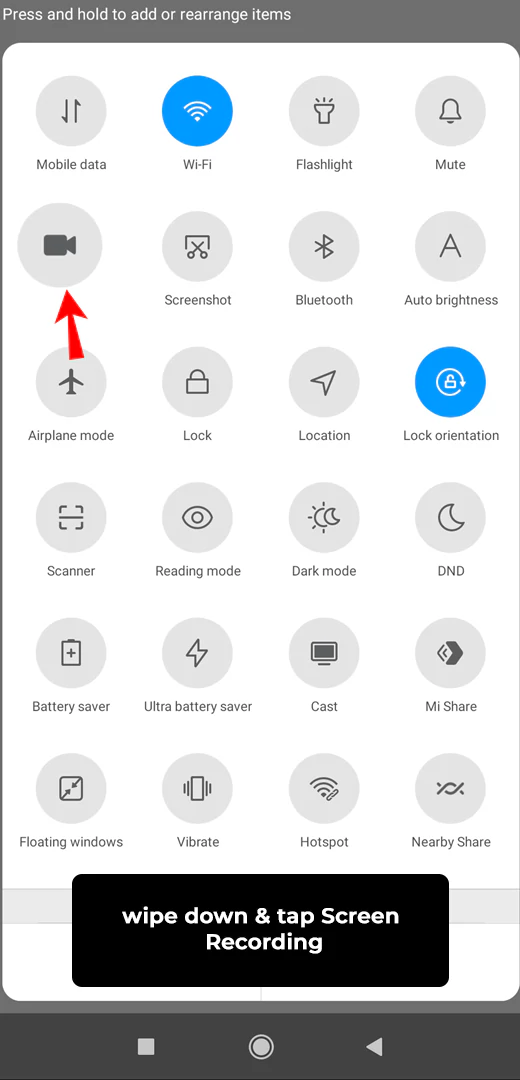
2. Swipe down your screen and tap on the screen recording option.
3. Once the recording starts, play the reel to the end to save it.
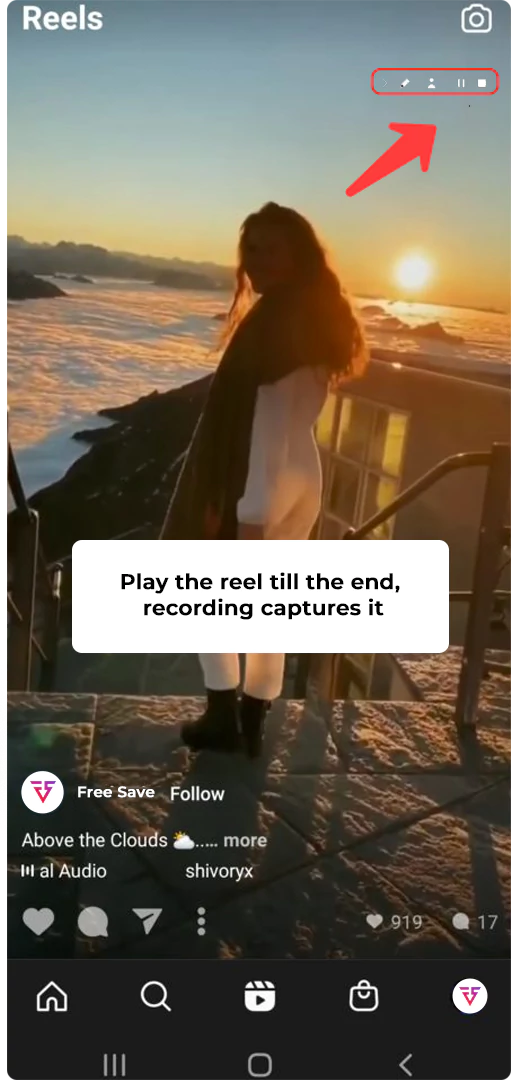
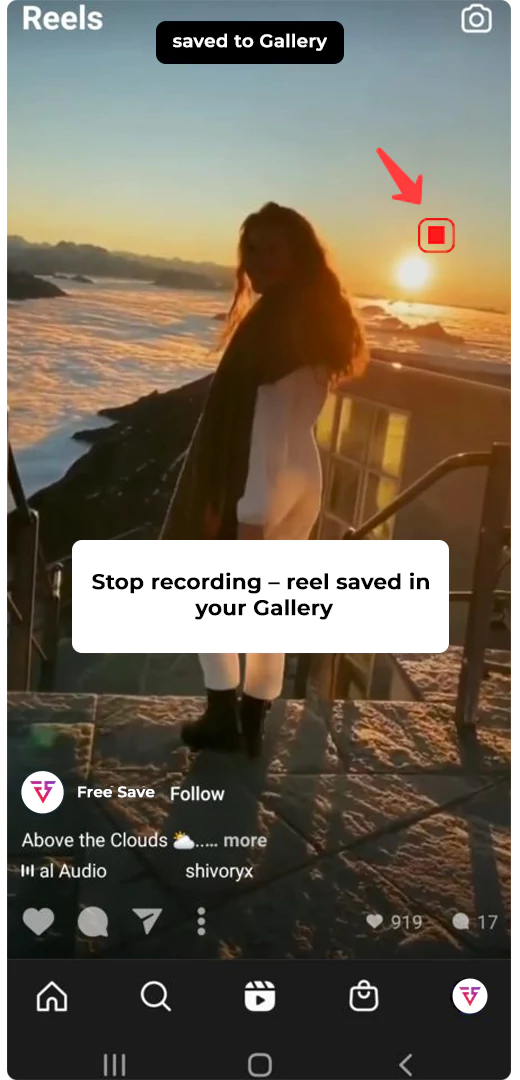
4. When the recording is complete, stop the screen recorder. Your reel is saved in the gallery.
How To Download Instagram Reels on Desktop?
You can download Instagram Reels on desktop using two easy methods:
Online Tools (Recommended)
The first way to download Instagram reels on a desktop is by using an online tool/ Instagram reels downloader. Here is how you can download reels through a tool.
- Copy the Reel’s URL from Instagram.
- Visit Free-Save.com and paste the link in the search bar.
- Click View Reels → Download to save the Reel in HD instantly.
Use Screen Recording Software
If you prefer recording, use tools like OBS Studio or ScreenRec to capture the Reel directly.
- Open Instagram on your desktop and select the reel.
- Set up the screen recording software.
- Choose the screen you want to record.
- Start recording and let it complete.
- Your reel is saved, and you can edit it as you like.
How To Download Instagram Reels With FreeSave?
Free-Save is a fast, reliable, and free online tool for downloading Instagram Reels, Stories, Highlights, Posts, and more. It’s completely anonymous, meaning you can download Reels without logging in or using the Instagram app.
How to Use Free-Save?
- Copy the URL of the Reel you want to download.
- Paste it into the Free-Save search bar.
- Click View Reels, then tap the download icon.
You have successfully downloaded the reel without compromising on quality and revealing your identity.
Conclusion
Downloading Instagram Reels in 2026 is simple once you know the right methods. Whether you’re on iPhone, Android, or desktop, this guide covers all safe options.
For the fastest, most secure experience, use Free-Save. The All-in-one Instagram downloader that lets you save Reels, Stories, Highlights, and Posts without login or app access.